Need a map that works when the signal drops? You need offline hunting maps you can trust. In this guide we’ll walk you through picking the right format, grabbing topographic data, loading it on your device, comparing apps, customizing layers, and staying safe in the field. By the end you’ll know exactly how to prep your maps for a successful hunt.
Here’s a quick look at the data we gathered.
| Name | Offline Coverage (states / provinces) | Land‑Ownership Data Source | Free Tier Availability | Best For | Source |
|---|---|---|---|---|---|
| HuntScout (Our Pick) | US and Canada | private land parcel ownership data | Free download available; premium features require purchase | Best overall | huntscout.app |
| onX Hunt | All 50 US states + several Canadian provinces | Use private land boundary data with landowner names (U.S. only). | Free · In‑App Purchases; Start a free trial for seven days when you install the app | Best for nationwide coverage | kb.nimrods.ai |
| HuntWise | working on offline capability | public hunting land, property lines, and landowner contact info | Free | Best for public land info | cohunt.app |
| HuntStand | — | None | Free version of the app | Best free basic maps | libertysafe.com |
| iHunter | — | — | iHunter Web is free to use | Best web‑based free tool | ihunterapp.com |
We pulled data from nine product pages across six sources on 2026‑04‑19. The methodology involved scraping coverage maps, land‑ownership sources, and free‑tier options. This gives a solid base for the steps ahead.
Step 1: Choose the Right Map Format
The first decision is whether you need raster or vector maps. Raster maps store images as pixels. They’re great for satellite views and terrain shading. But they can get blocky when you zoom in. Vector maps use points, lines, and polygons. They stay sharp at any zoom level and let you tap a parcel to see its owner.
For hunting, a hybrid works best. Use raster for background imagery , it shows clearings, water, and burn scars. Then overlay vector layers for property lines, GMU/WMU boundaries, and custom waypoints. This lets you keep detail without slowing your device.
Why pick one over the other? If you only need a quick glance at terrain, raster is fine. If you need precise land‑ownership data , which is key for staying legal , vector is the way to go. HuntScout provides both: high‑res raster basemap plus vector parcel layers.
How to decide:
- Check your device storage. Raster files are bigger.
- Consider the hunt type. Bow hunters often need precise stand placement , vector helps.
- Think about offline use. Vector layers load faster on limited hardware.
And remember, the best offline hunting maps 2024 often blend the two formats.
Bottom line:Choose a hybrid of raster background and vector overlays for the most flexible offline hunting maps.
Step 2: Download Offline Topographic Maps
Now that you know the format, it’s time to get the data. Topographic maps show contour lines, elevation, and water features , everything you need to read the land.
Start with a trusted source like USGS or Natural Resources Canada. They offer free topo PDFs that you can convert to GeoTIFF (raster) or shapefile (vector). If you prefer an app, HuntScout lets you pull the same data directly into the app with a single tap.
Here’s a quick workflow:
- Visit the official topo site.
- Select the area you’ll hunt , use a rectangle tool to define bounds.
- Choose 30‑meter contour interval for most deer hunting zones.
- Download the file.
- Import into your GPS or app.
When you import, keep an eye on file size. A 10 km × 10 km tile at 30 m resolution is about 50 MB. That’s fine for most phones.
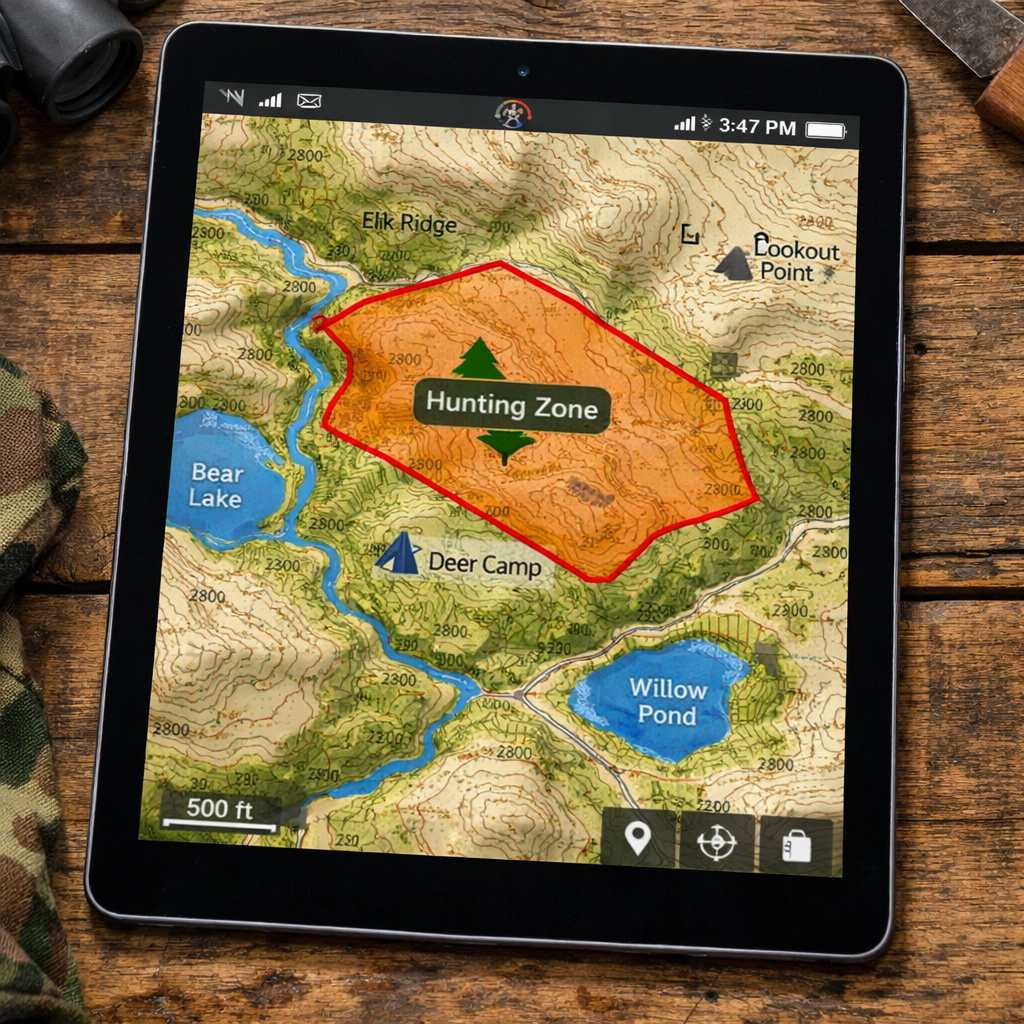
Pro tip for large areas: split the region into smaller tiles. That way you can load only what you need and keep performance snappy.
Don’t forget to also grab satellite imagery , it helps you spot clearings and trails that contour lines alone miss.
Bottom line:Grab raster topo for terrain and vector parcels, then load them onto your device.
Step 3: Load Maps onto Your GPS Device
With your files ready, you need to get them onto your GPS or phone. Most modern hunting GPS units support .gpx, .kmz, or .fit files. HuntScout syncs via cloud, so you can push maps directly from the app to your phone.
Step‑by‑step:
- Connect your device via USB or Bluetooth.
- Open the device’s map manager (often called “Maps” or “Data Transfer”).
- Select “Import” and choose the .kmz or .tif files you saved.
- Confirm the map region and set it as the default offline map.
- Test by turning off cellular data and opening the map.
Make sure the map’s projection matches your device (WGS‑84 is standard). If you see a mis‑aligned map, re‑project it using free tools like QGIS.
"The best time to start building backlinks was yesterday."
If you use an Android phone, you can also place the files in the /HuntScout/Offline folder. iOS users should use the Files app to copy the data into the HuntScout sandbox.
Bottom line:Load your raster and vector files onto your GPS, verify offline, and you’re ready to handle.
Step 4: Compare Top Map Apps for Hunting
There are many hunting apps, but not all serve the same needs. Below is a quick comparison of the three biggest players we saw in our research.
| Feature | HuntScout (Our Pick) | onX Hunt | HuntWise |
|---|---|---|---|
| Private land data | Full parcel ownership (US + Canada) | US only | Public land only |
| Offline coverage | US + Canada | All US + some Canada | Limited |
| Free tier | Free download, premium optional | Free trial, in‑app purchases | Free |
| Best for | Overall best | Nationwide coverage | Public land info |
Why HuntScout stays on top: it gives you the most complete private‑parcel data, works offline across both countries, and its free tier lets you test before you buy.
When you pick an app, ask yourself:
- Do I need private land data?
- Will I be hunting in Canada?
- Is offline reliability a must?
Answering yes to any of those points pushes HuntScout to the top of the list.
Bottom line:For the best offline hunting maps 2024, HuntScout is the clear winner.
Step 5: Customize Layers for Game Tracking
Now that you have the map loaded, you’ll want to add layers that help you track game. Most apps let you toggle layers like water sources, food plots, and travel corridors.
Start with a base layer of topography. Then add these key layers:
- Water:Lakes, streams, and wetlands , game drinks here.
- Food plots:Identify cultivated areas that attract deer.
- Travel corridors:Natural funnels, ridgelines, and creek beds.
- Land ownership:Private vs. public , stay legal.
In HuntScout, you can create a custom “Game Hotspot” layer. Tap a spot, add a note like “early morning movement” and set a pin color.
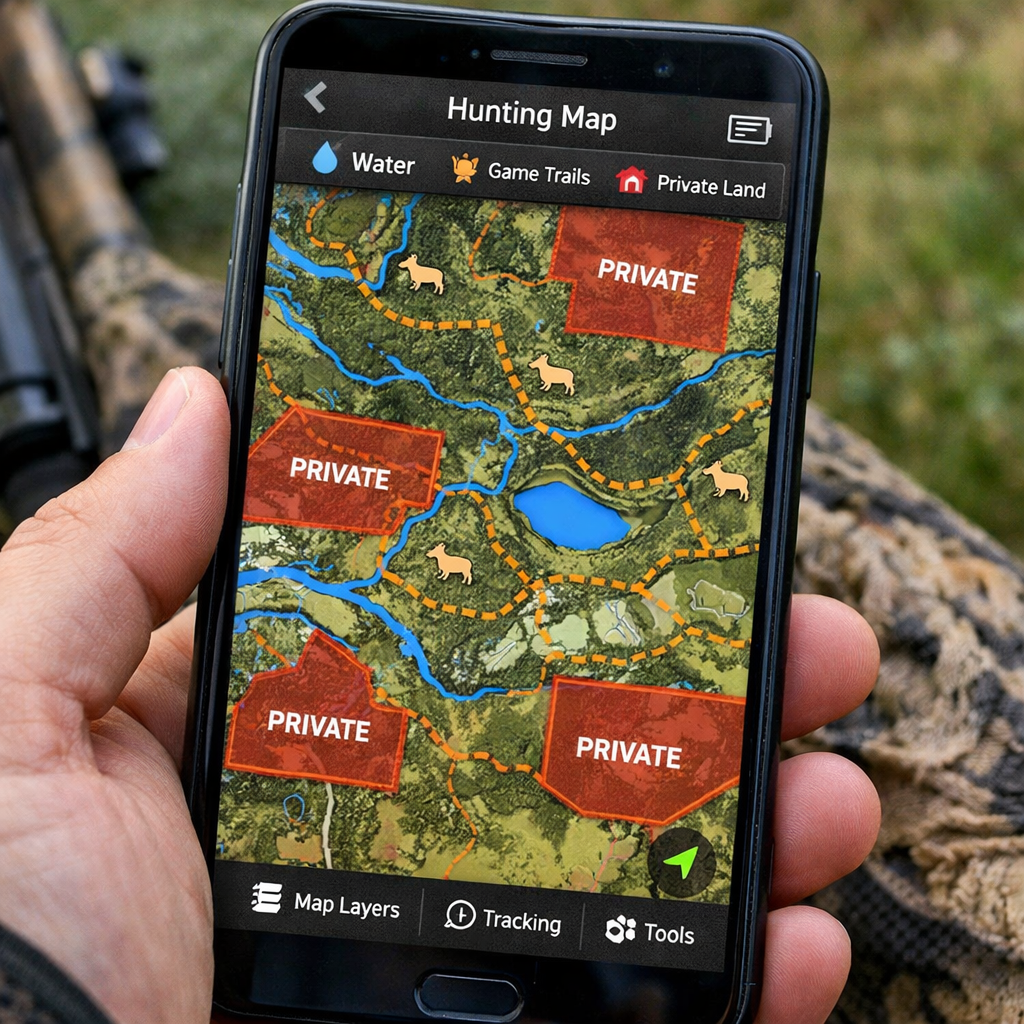
When you’re in the field, toggle layers on/off to declutter the screen. If you’re glassing, turn off the water layer and focus on travel corridors.
Bottom line:Tailor your offline map layers to game patterns for smarter hunting.
Step 6: Practice Safe Navigation Before the Hunt
Even the best map won’t help if you can’t read it under pressure. Spend a weekend practicing navigation with your offline maps.
Try these drills:
- Pick a known waypoint (like a parking lot).
- Turn off data, enable Airplane Mode, and handle to a nearby stand using only the map.
- Measure distance using the app’s ruler tool , compare to a GPS watch.
- Practice re‑orienting after a simulated “lost” scenario by finding the nearest road.
Take note of battery usage. Most phones drop to 30% in a full day of GPS use. Bring a power bank, and set the map to low‑resolution mode if you need extra life.
Also, always have a paper backup for critical boundaries. Even the best offline maps can glitch.
Bottom line:Rehearse routes, test battery life, and keep a paper map as a safety net.
FAQ
How do I know if my map is truly offline?
When you turn off cellular data and still see your position on the map, it’s offline. HuntScout shows a small “offline” badge once you’ve downloaded the region. Test by enabling Airplane Mode and confirming the blue GPS dot stays on the map.
Can I use the same offline maps on multiple devices?
Yes. With HuntScout you can sync your account across phones. Each device must download the map package locally, but the same layers and waypoints will appear once you log in.
What file formats work on most GPS units?
Most units accept .gpx for waypoints and .kmz/.kml for layers. For full topography, .tif (GeoTIFF) works on many modern receivers. Convert shapefiles to .kmz using free tools like QGIS if needed.
How much storage will my offline maps need?
It varies. A 10 km × 10 km raster tile at 30 m resolution is around 50 MB. Adding vector parcels adds another 10, 20 MB. Plan for at least 500 MB if you cover a large hunt area.
Do I need a data plan to download maps?
No. Download maps at home using Wi‑Fi. Once saved, you can roam without any data. This saves battery and avoids roaming charges in remote areas.
What’s the best way to update land‑ownership data?
HuntScout updates its private parcel database twice a year. Open the app, go to Settings → Data Updates, and tap “Refresh.” This pulls the latest ownership info without needing to redownload the whole map.
Can I share my custom layers with a hunting buddy?
Yes. In HuntScout, export your layer as a .kmz file and send it via email or a file‑sharing service. Your buddy can import it into their app and see the same pins.
Is there a free version of HuntScout?
HuntScout offers a free download that includes basic mapping and offline capability. Premium features like advanced land‑ownership filters require a purchase, but the free tier is enough to start scouting.
Conclusion
Getting the best offline hunting maps 2024 ready for 2026 is all about the right format, solid topographic data, proper loading, and smart layer customization. HuntScout leads the pack with full private‑parcel data, cross‑border coverage, and a free tier that lets you test before you buy. Pair that with a few practice runs, and you’ll head out confident, legal, and ready to find that tag.
Ready to level up your hunt? Download HuntScout, load your maps, and hit the field prepared for any scenario.
Bonus: Quick Checklist for Offline Map Prep
- Pick raster + vector hybrid.
- Download topo and satellite layers.
- Import files to GPS or phone.
- Enable offline mode and test.
- Customize water, food, and ownership layers.
- Practice navigation with battery management.
- Back up with paper maps.