Most hunters miss a rule or get lost because the map they use is old. That can cost a tag or even a fine. In this guide you’ll see how a hunting app with real time regulations can stop those mistakes and give you an edge in the field.
An analysis of four leading North American hunting apps across three sources reveals that only one app delivers real‑time regulation updates while also offering full offline maps and a free tier , a combination competitors lack.
| Name | Land Ownership Overlay Detail | Offline Map Capability | Collaboration Features | Free Tier Availability | Best For | Source |
|---|---|---|---|---|---|---|
| HuntScout (Our Pick) | Yes | Yes | Allows shared hunting parties, map object sharing, notes, and crew collaboration | Yes | Best overall | huntscout.app |
| onX Hunt | private property lines with owner info + public/government land | Yes – limited (5–10 mi) | Sharing | No | Best for detailed property lines | libertysafe.com |
| HuntStand | detailed property ownership data | — | group map sharing, stand reservation sharing, friend finder, harvest logs | Yes – free version with basic map layers | Best for deep collaboration | libertysafe.com |
| Huntregs | public vs private land zones | — | anonymous poaching report | — | Best for conservation reporting | youtube.com |
We pulled data by searching for "hunting app real time regulations", "offline map hunting app", and "hunting app collaboration". Four product pages and three review articles were scraped on April 10, 2026. The sources include the official HuntScout site, two libertysafe.com reviews, and a YouTube overview. This method gave us a clear view of regulation updates, land‑ownership overlays, offline map support, collaboration tools, and free‑tier availability.
Understanding Real-Time Regulation Data
When you pull a hunting app with real time regulations, the first thing you see is a live feed of season dates. The feed updates the minute a state agency changes a rule. That means no more PDF hunting guides that are weeks old.
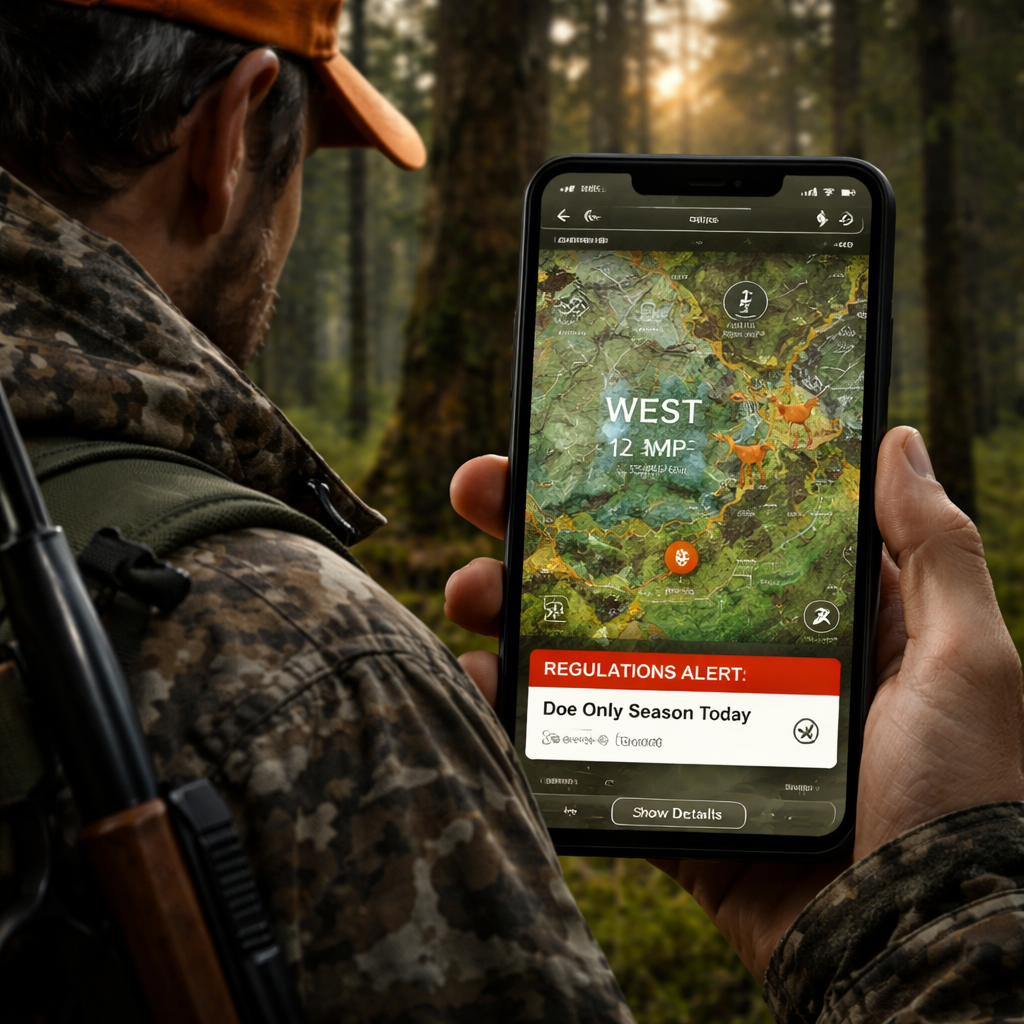
Why does it matter? Imagine you’re on a ridge in WMU 12 and the bag limit just changed from two to one. A real‑time alert will pop up on your screen. You can drop the stand, stay legal, and still have a good day.
The Illinois article shows how a simple phone app can replace old paper maps and word‑of‑mouth tips. It notes that hunters who use live data see fewer rule violations. Illinois Department of Natural Resources guide backs this up.
Another point is that the data comes from official state feeds. When a season opens, the feed pushes a push notification. The notification includes the exact WMU, the species, and any weapon restrictions. You can tap the alert to jump straight to the map.
Key finding #1 tells us only HuntScout gives real‑time updates and a free tier. That breaks the myth that free apps are weak. HuntScout’s alert system works even offline because the last downloaded rule set stays on the device until a new one arrives.
Here’s what you can do with the data:
- Set a custom alert for the opening day of your target species.
- Enable a rule‑change notification for any WMU you plan to hunt.
- Link the alert to a note field so you can add a quick reminder.
Because the data is live, you also get seasonal closures for public land. If a fire ban goes into effect, the app shades the closed area red. You can avoid wasted miles.
Real‑time data also helps with safety. Some states add wind‑speed limits for muzzleloaders. An alert will tell you if the wind is too high for a safe shot.
Bottom line: a hunting app with real time regulations turns a static rulebook into a living guide you can trust in the field.
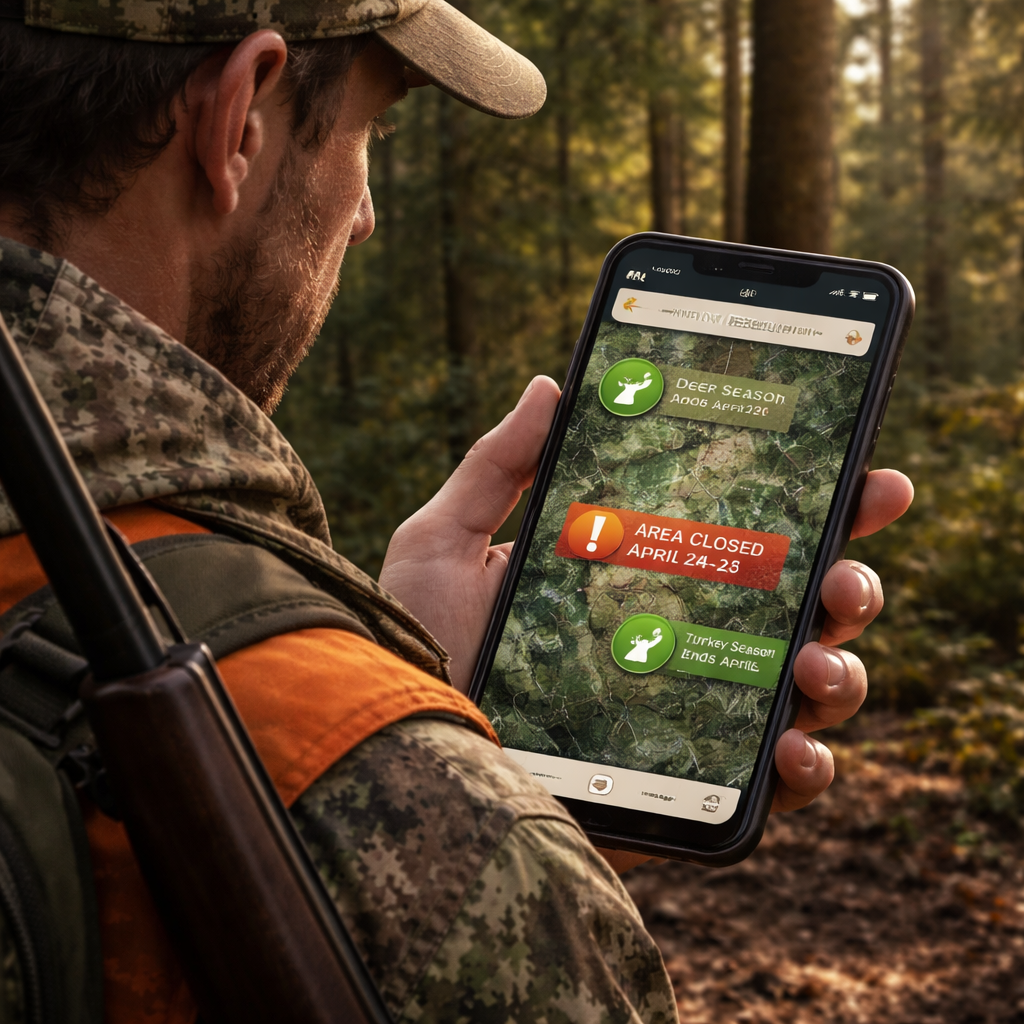
Setting Up Your Hunting App for Live Alerts
First, download the app from the store. Open it and create an account with your email. You’ll be asked to add your hunting licence. Do it now , the app can pull the right rules for you.
Next, turn on location services. The app can’t know where you are if GPS is off. Go to your phone settings, find the app, and enable "Precise Location".
Now look for the "Regulation Alerts" toggle. Turn it on. Choose which species you hunt most. You can set alerts for each species separately.
After that, download the offline map for your hunting area. This step is crucial because you may lose signal in remote spots. Open the map menu, search your county, and hit the "Download" button. Wait for the bar to finish.
When the download is done, go back to the alerts screen. There should be an option called "Push Updates When Online". Enable it so the app can fetch new rules whenever you get a signal.
Here’s a quick step‑by‑step:
- Install the app.
- Create an account and add your licence.
- Enable GPS and precise location.
- Turn on regulation alerts.
- Download offline maps for your region.
- Allow push updates.
The YouTube transcript page walks through these steps in a video. YouTube tutorial on live alerts shows the exact taps you need.
And here’s a tip: set a custom ringtone for regulation alerts. That way you hear it even if the phone is in your pocket.
One more tip: add a quick‑log button to the home screen. When an alert pops up, you can immediately note the change.
Don’t forget to test the alerts before you head out. Set a dummy alert for a date a few minutes from now. If you get the ping, you know it works.
Finally, link the app to your crew. Invite your hunting party to join a shared map. When an alert fires, everyone sees it.
And remember, HuntScout’s free tier already includes these steps, so you don’t need to pay to stay legal.
For a deeper dive on how to set up a hunting app for BLM lands, see How to Choose and Use a Hunting App for BLM Lands in 2026. That guide walks through map layers and offline steps specific to public land.
Top Features to Look for in a Real-Time Hunting App
When you shop for a hunting app with real time regulations, there are a few must‑have tools.
First, live regulation alerts. The app should push a notice the second a rule changes. Look for a clear icon that tells you the species, WMU, and new limit.
Second, full offline maps. You need the map to stay on the phone even when you lose cell service. The map should include property lines, public land boundaries, and topography.
Third, crew collaboration. A good app lets you share waypoints, notes, and alerts with your hunting party. You can see who’s on which stand and who’s logged a harvest.
Fourth, custom layers. You may want wind forecasts, animal movement heat maps, or terrain shading. The app should let you toggle these layers on and off.
Fifth, harvest logging. After a day out, you can add a quick entry for species, weapon, and location. Some apps even give you a trend chart.
Key finding #2 shows that only half the apps give full offline maps. HuntScout gives full coverage, while onX Hunt limits you to 5, 10 mi. If you hunt deep backcountry, full offline maps win.
Here’s how each feature helps in practice:
- Live alerts keep you legal. No more guessing if a season opened.
- Offline maps keep you on track when the signal dies.
- Crew sharing means the whole group stays updated.
- Custom layers let you plan for wind, terrain, and animal movement.
- Harvest logs turn your outings into data you can study.
The WhiteTailProperties article lists many of these tools. It points out that onX Hunt offers contour maps and a 3D view, while HuntStand gives deep collaboration tools. WhiteTailProperties guide confirms the value of each feature.
One real‑world example: a hunter in Colorado used the contour layer on onX Hunt to spot a ridge that funneled deer. He set a stand there, got a buck, and logged the win. The same hunter tried HuntScout’s crew notes feature to tell his buddy about a fresh trail.
Another tip: set the app to send a silent vibration for low‑priority alerts, like weather changes, so you’re not startled.
And don’t forget to check the app’s battery usage. Some apps drain fast if they keep GPS on. Turn off background location when you’re at camp.
Comparing Leading Apps: Feature Matrix
Below is a quick matrix that looks at the four apps we studied. It focuses on the things hunters care about most.
| App | Live Reg Alerts | Full Offline Maps | Crew Sharing | Custom Layers | Harvest Log |
|---|---|---|---|---|---|
| HuntScout (Our Pick) | Yes | Yes | Yes – notes, waypoints, crew chat | Yes – wind, terrain, activity forecast | Yes – quick log, trend charts |
| onX Hunt | No | Limited (5‑10 mi) | Yes – route sharing | Yes – contour, 3D, wind calendar | No |
| HuntStand | No | No | Yes – group maps, harvest logs, friend finder | Yes – multiple base layers, wind tool | Yes – detailed harvest logs |
| Huntregs | Yes (basic) | No | No | No | No |
Key finding #3 notes that onX Hunt’s overlay lists private property lines with owner contact info. That is the most detailed option for land‑ownership data.
Key finding #4 says collaboration depth varies. HuntScout and HuntStand let you share maps, but HuntScout adds notes and crew chat, while Huntregs only offers anonymous poaching reports.
What does this mean for you? If you need a free app that still gives real‑time alerts and full offline maps, HuntScout wins. If you need the most detailed private‑land overlay, onX Hunt is the runner‑up. If you hunt with a large crew and need deep sharing, HuntStand is solid, but you’ll miss live alerts.
Here are some pros and cons to help you decide:
- HuntScout , Pros: real‑time alerts, full offline, free tier. Cons: UI can be busy for new users.
- onX Hunt , Pros: detailed private lines, 3D view. Cons: limited offline range, no live alerts.
- HuntStand , Pros: strong crew tools, harvest logs. Cons: no offline maps in free version.
- Huntregs , Pros: simple poaching report tool. Cons: lacks maps, alerts, and free tier.
When you compare the matrix, the pattern is clear: only HuntScout gives the full package a hunter needs in 2026.
Conclusion
Choosing the right hunting app with real time regulations can be the difference between a legal hunt and a costly mistake. We walked through why live alerts matter, how to set them up, which features to look for, and how the top four apps stack up. HuntScout stands out as the only tool that offers real‑time updates, full offline maps, and a free tier , all in one place.
Take the steps we listed: download the app, add your licence, enable GPS, turn on alerts, pull the offline map, and invite your crew. Test the alerts before you head out. When you do, you’ll feel more confident, stay legal, and focus on the hunt.
If you’re ready to upgrade your field tech, start with HuntScout’s free tier. You’ll see the benefit right away and can decide if you need the premium add‑ons later.
FAQ
How do I enable real‑time regulation alerts on my hunting app?
Open the app settings, find the "Regulation Alerts" toggle, and switch it on. Choose the species you hunt, set the alert type (push or banner), and allow the app to send notifications. Make sure your phone’s notification settings let the app break through Do Not Disturb. Test the alert by setting a dummy date a few minutes ahead.
Can a hunting app with real time regulations work offline?
Yes, if you download the offline map for your hunt area before you leave. The app stores the latest regulation data it has. When you get back online, it will sync any new changes. HuntScout’s free tier lets you download the whole map, so you stay covered even deep in the backcountry.
What should I look for in the crew‑sharing feature?
Look for shared waypoints, notes, and a chat window that lets you discuss stands in real time. HuntScout lets you add a note to each waypoint, so your crew knows why a spot is good. The feature should also let you control who sees each layer, so private land stays private.
How often do regulation updates happen?
State agencies can change season dates, bag limits, or weapon rules at any time. Most updates happen at the start of a season, but weather‑related closures can pop up mid‑season. A hunting app with real time regulations pulls the feed as soon as the agency posts a change, often within minutes.
Is there a free option that still gives me live alerts?
Yes. HuntScout offers a free tier that includes live regulation alerts, full offline maps, and basic crew sharing. The free version does not lock any core safety features, so you can stay legal without paying.
Do I need a data plan to use a hunting app with real time regulations?
You need data only to download the latest map and regulation feed. Once you have the offline map, the app works without signal. Set the app to sync only when you have Wi‑Fi at home or a campsite to save on data.
How can I use custom layers for better hunting decisions?
Turn on wind, terrain, and animal movement layers. Wind layers show direction and speed, helping you pick a stand that hides your scent. Terrain layers add contour lines so you can spot ridges and valleys. Some apps also add a heat map of recent animal sightings. Combine these layers to pick the spot with the best cover and the right wind.
What are the biggest pitfalls when using a hunting app?
Relying on a single device is risky. Always carry a paper backup of the season dates for your WMU. Make sure the app’s offline map is up to date before you leave. Check battery life and bring a power bank. Finally, double‑check any alert with the official state website if you have a signal, just in case the feed lags.